
Extend your WordPress site with a native iOS and Android app. No code.
What does your site run?
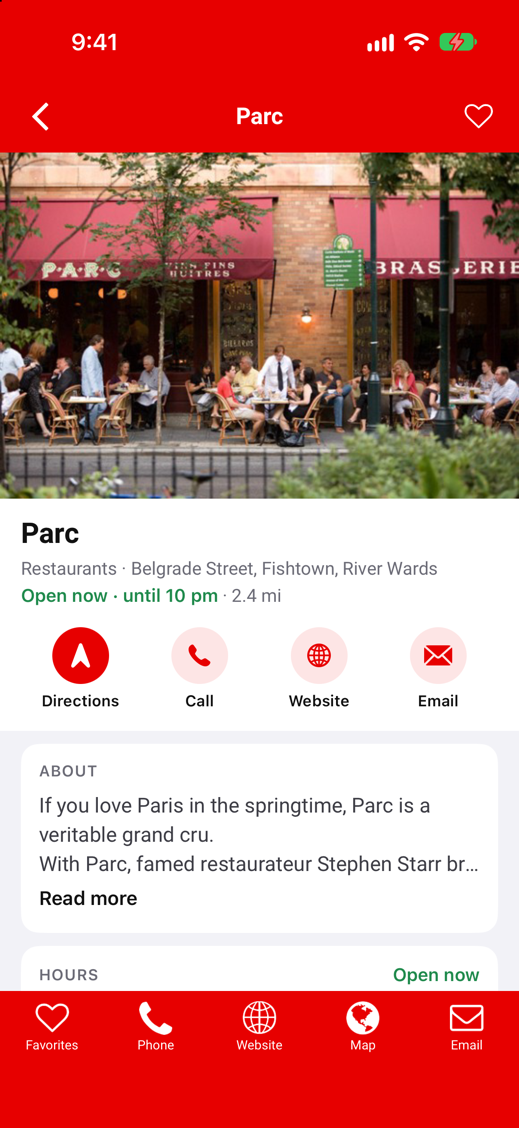
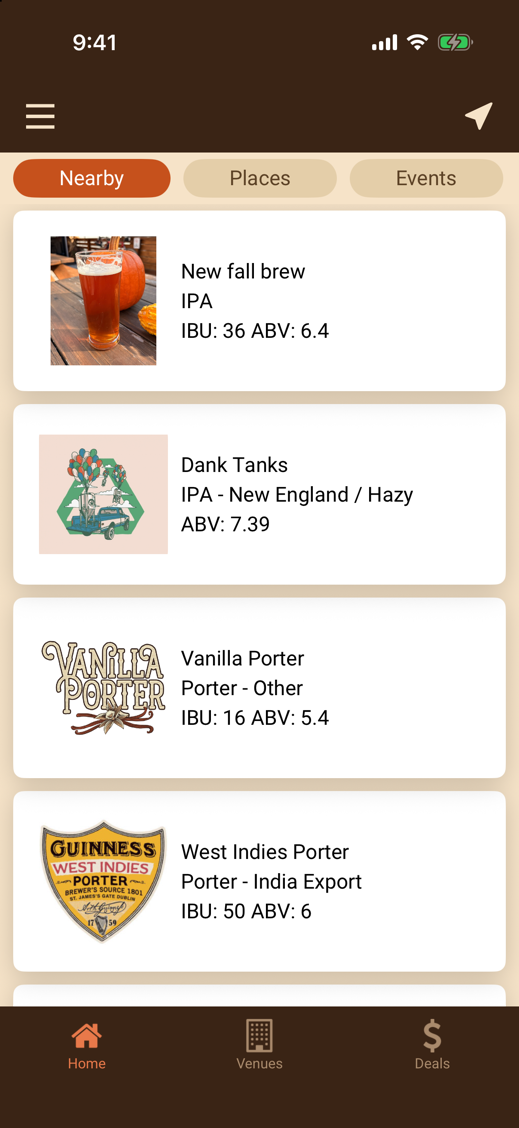
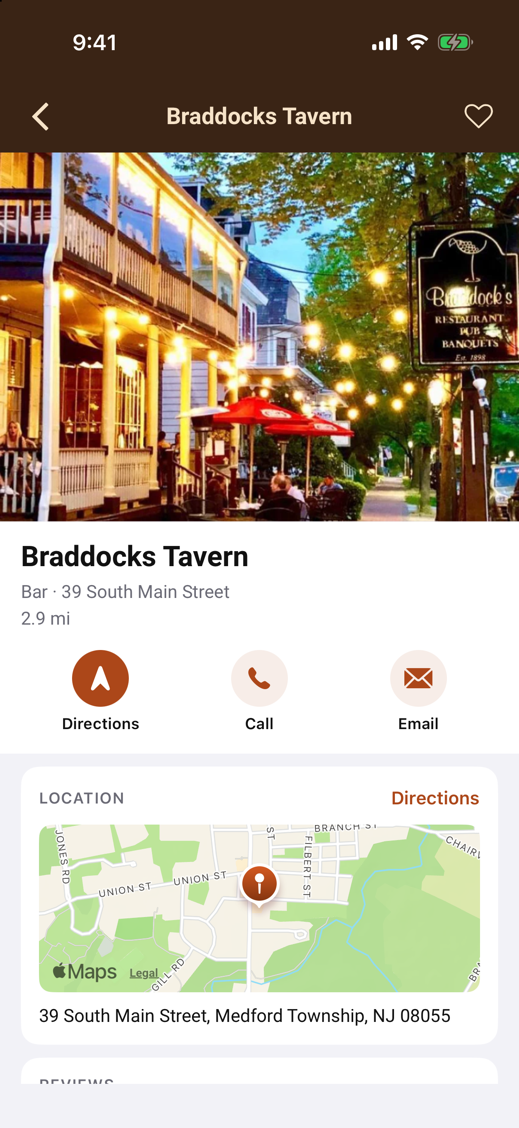
Directory
GeoDirectory, Business Directory Plugin
Listings, maps, events, deals and reviews in an app your members carry. Listing owners update their business from their phone.
From $1,499 to publish, then $299 a year.
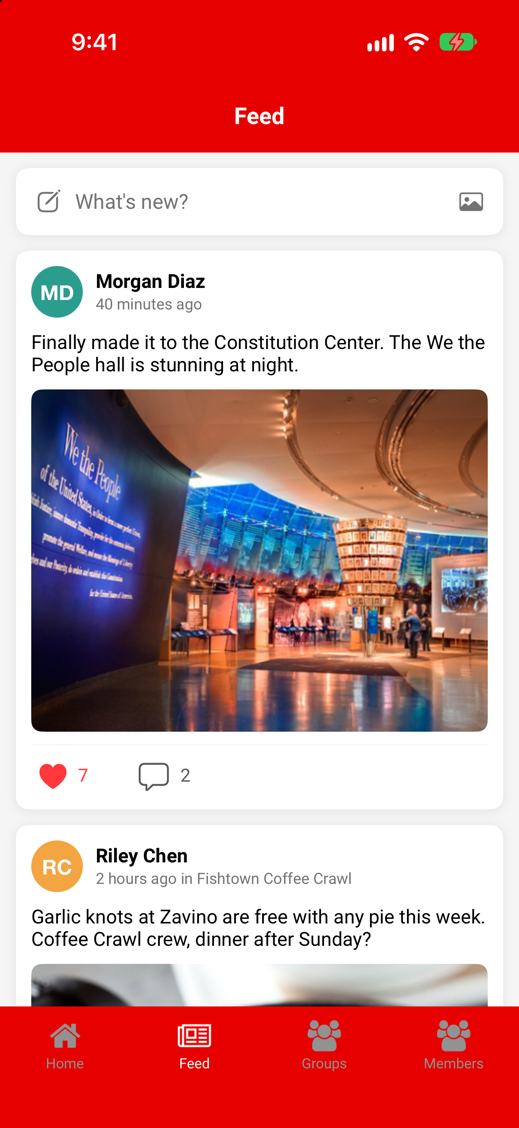
Community
BuddyPress, GamiPress
Members, groups, activity, chat, points and badges in an app people open every day.
From $1,499 to publish, then $299 a year.
Store
WooCommerce
A shopping app for the store types we support first, with more added over time.
From $1,499 to publish, then $299 a year.
Help Desk
SupportCandy
Your customers and agents get your help desk in the WPMAM Support app the same day. No app to build.
$100 a year, 14-day free trial.
From plugin to app store in four steps
1
Install the free plugin.
WP Mobile App Manager connects to the plugins you already run.
2
Set it up in WordPress.
Choose screens, menus, colors and icons in your WordPress admin. No code.
3
Preview on your phone.
The free Previewer app shows your real content on iPhone and Android while you build.
4
Publish under your name.
We submit the app to your own Apple and Google developer accounts. You pay when you publish.
The Support channel skips steps 3 and 4: your help desk opens inside the WPMAM Support app, already in the stores.
Update your site. The app follows.
The app reads your WordPress site live. Add a listing, post an event, award a badge or answer a ticket on the site and it shows in the app. No second system to manage.
- Push notifications
- Maps and location
- Camera and photo uploads
- QR codes
- In-app purchase
- Your colors and icons
Live in the App Store and Google Play
“As an agency, I finally launched apps without learning Flutter.”
Haute Finds
“My local community now has an app, and I know how to update my business info without code.”
MainStreet Libertyville
“My new app got launched in way less time than I expected!”
Hamlet’s List
Prices, up front
Every suite includes publishing to your own Apple and Google accounts, app and plugin updates, and configuration support.
| Plan | For sites that run | One time | Every year |
|---|---|---|---|
| WP Mobile App Manager | Any WordPress site | Free | Free |
| GeoDirectory Suite | GeoDirectory (Directory) | $1,499 | $299 |
| Business Directory Suite | Business Directory Plugin (Directory) | $1,499 | $299 |
| BuddyPress Suite | BuddyPress or BuddyBoss (Community) | $1,499 | $299 |
| WooCommerce Suite | WooCommerce (Store) | $1,499 | $299 |
| SupportCandy Suite | SupportCandy, in your own branded app (Help Desk) | $1,499 | $299 |
You need your own Apple and Google developer accounts to publish. We show you how to set them up. Smaller add-ons start at $9 a year.
Shared apps
Ready-made apps already in the App Store and Google Play. Connect your site and go: no developer accounts, nothing to publish.
| Shared app | For sites that run | One time | Every year |
|---|---|---|---|
| WPMAM Support app | SupportCandy, in our ready-made app. 14 days free. | None | $100 |
Rather have us build it?
We build and publish the app for you, then fit it to your project: custom screens, filters, booking, payments, integrations with the services you use. Tell us what you need and we quote it.
Questions
Do I need to write code?
No. Everything is set up in your WordPress admin. Developers can extend it in PHP if they want to.
What does it cost?
Building and previewing are free. A Directory, Community or Store suite is $1,499 when you publish, which includes publishing, then $299 a year. The Support app is $100 a year.
Can I see my app before I pay?
Yes. The free Previewer app shows your content on your own phone.
Whose name is on the app?
Yours. It is published to your own Apple and Google developer accounts.
Does the app update when my site changes?
Yes. The app reads your site, so content changes show up without a new release.
What happens after you submit?
Apple and Google review the app, usually within a few days, and we tell you when it is live.
My idea doesn’t fit these four.
Ask us. We build custom apps and websites too.
